Collections Email Templates for Fortune 500 AP Departments
Tailor your collections strategy to Fortune 500 approval layers, not standard payment terms.
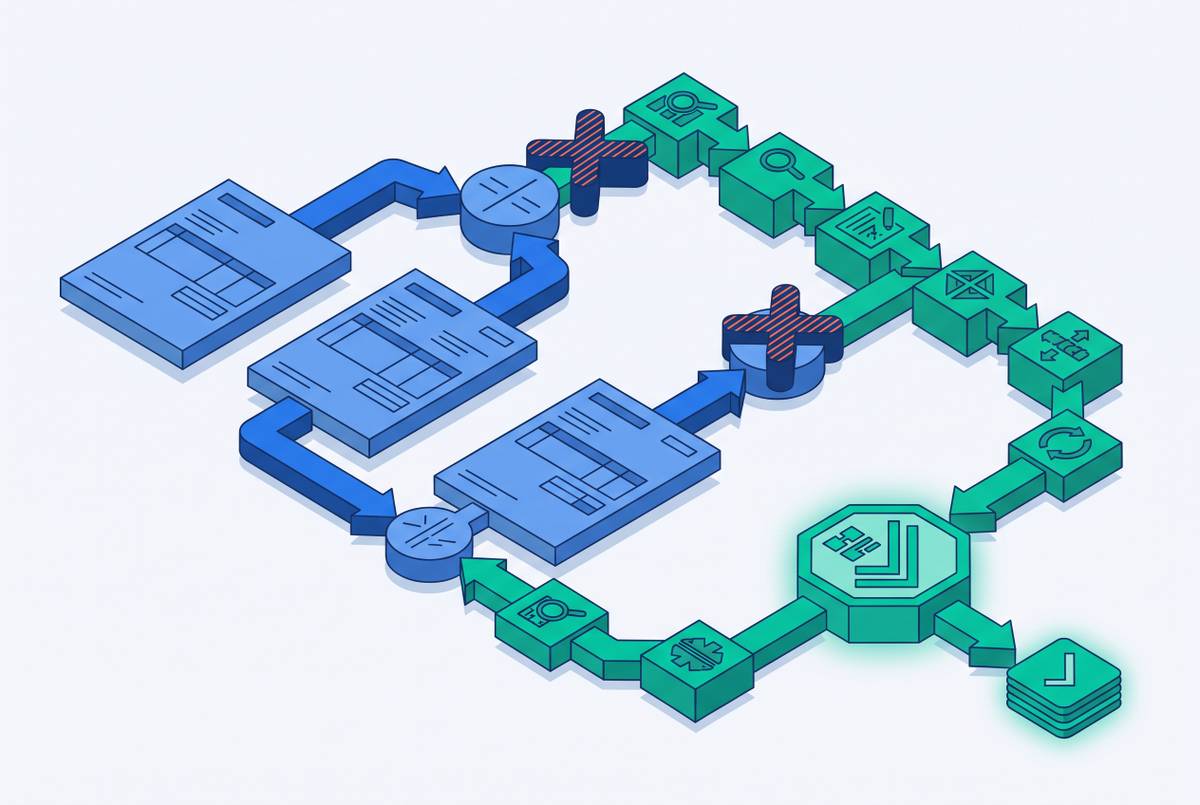
Generic payment reminder logic fails against Fortune 500 AP departments because the obstacle is structural. A polite nudge assumes someone is sitting on a decision. In a Fortune 500 AP department, the real question is whether the invoice even cleared the internal processing gauntlet, not whether anyone decided to stiff you.
The AP contact you are emailing cannot wire you money even if they want to, because the department is a gatekeeper rather than a decision-maker, so a collections email must either remove the processing friction or escalate past the queue to someone who can actually authorize payment. Sending a template built for a small business owner who just forgot means solving the wrong puzzle.
Picture the AP department's day. A big chunk of it is spent wrestling invoice exceptions, missing PO numbers, price mismatches, coding errors, rather than rubber-stamping clean invoices. That's the job, so approving a flawless invoice on the first pass is the exception to their exception-handling existence.
This is also a relationship with teeth. For most suppliers, a Fortune 500 buyer is an anchor account. That asymmetry cuts both ways: go in too hot with a demand letter energy, and you risk a contract worth more than your whole portfolio of smaller clients. Going in too soft sinks your invoice to the bottom of an inbox that gets hundreds of emails a day. The templates that follow are built to walk that line on purpose, not by accident.
The four structural blockers that delay payment from large-enterprise AP
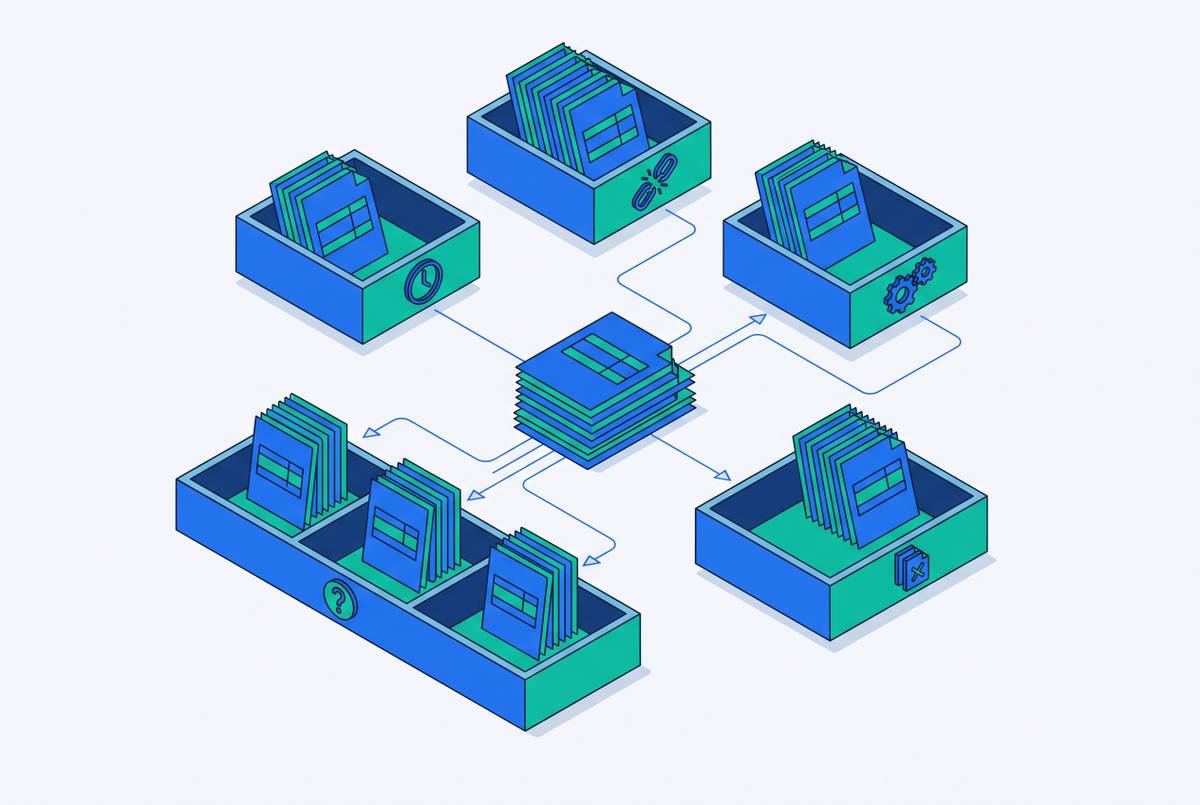
Four blockers account for almost every Fortune 500 payment delay, and the trick is figuring out which one has its hooks in your invoice before you write a single word of follow-up.
The first is a PO mismatch or a missing PO reference. Large enterprise buyers require a valid purchase order number on every invoice, and without one, the invoice doesn't float gently into a human's queue, it gets rejected outright or shunted into exception-handling purgatory. An invoice that looks airtight by your own standards can still get kicked out if the PO number is missing, expired, or tied to the wrong cost center. The fix starts at the template level: early emails need to directly invite the AP contact to flag a PO problem, with a spot built in for you to supply or confirm the right reference.
The second is supplier portal routing. Large enterprise AP departments increasingly require suppliers to submit and track invoices through dedicated procurement platforms like Coupa or Ariba rather than plain email. Sending a beautifully formatted invoice straight to the AP inbox may get it "received" in the sense that someone's eyes land on it, but it never actually enters the system that triggers payment approval. That's the invoice equivalent of mailing a letter to a building with no mail slot. Templates that skip the direct portal link or the correct routing reference start at a structural disadvantage, and including clear, specific payment instructions and direct links has been shown to speed up payment. Every stage-one and stage-two template needs that portal link and routing reference baked in, not optional.
The third blocker is the exception queue itself, triggered by invoice errors or missing documents. Roughly one invoice in four falls out of automated AP flow because of a price discrepancy, a missing supporting document, a wrong billing address, or a W-9 that never made it back to the buyer. None of that means anyone decided not to pay you. It means your invoice is sitting in a digital lost-and-found bin, waiting for a human to notice it.
The fourth blocker lives above AP entirely: multi-stakeholder sign-off and executive sponsor gaps. Large invoices above certain dollar thresholds need sign-off from multiple people inside the buyer's organization, a budget owner, a department head, a VP of Finance, before AP is even allowed to release funds. If the executive sponsor who approved your engagement never got the memo about a new charge or a change order, your invoice can sit frozen, waiting on an approval that literally no one has started yet. That's why late-stage templates need to route around AP completely and find the internal stakeholder who can kick that approval chain into motion.
Building a cadence that matches Fortune 500 AP process timelines, not generic NET 30 logic
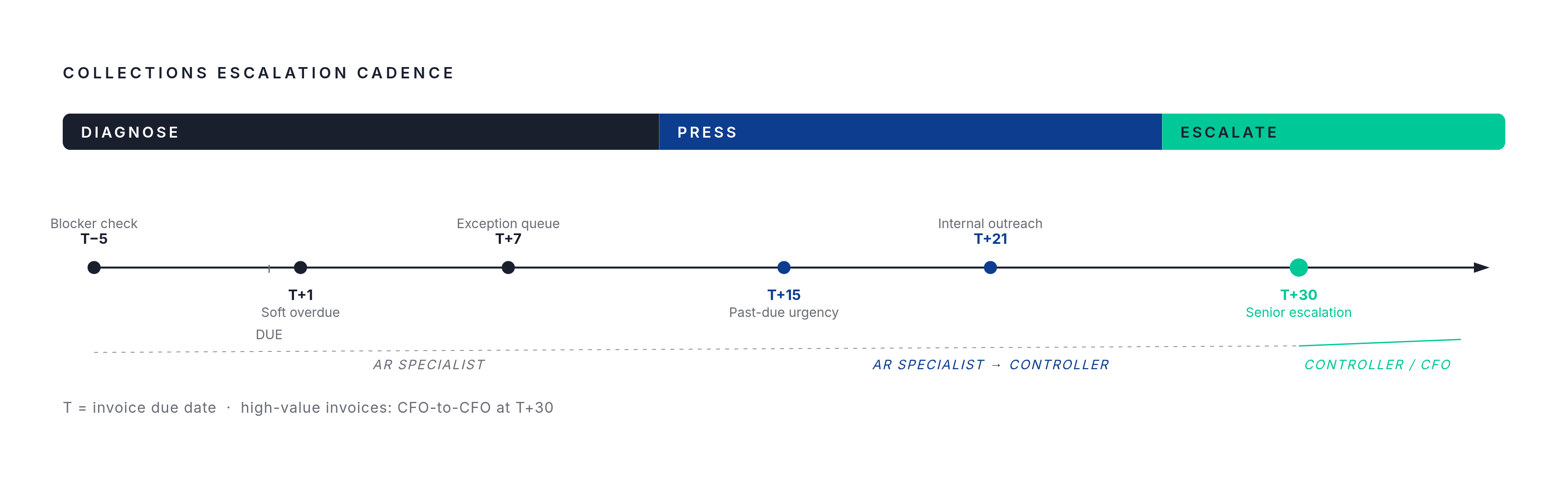
Fortune 500 AP cycles run on their own internal clock, one that's slower and more layered than the standard collections cadence assumes, and building your outreach schedule around the real clock instead of the textbook one reduces friction and gets you paid faster.
The standard practitioner cadence looks like this: a pre-due nudge at T-5, a soft notice at T+1, a follow-up at T+7, personal outreach at T+14, an escalated notice at T+30, senior escalation at T+45, and a formal demand further out still. That skeleton is a fine starting point, but it was built assuming a buyer who can approve payment on their own timeline. Fortune 500 AP approval cycles are multi-step by design and can legitimately stretch well past a normal payment window, even on invoices the buyer fully intends to pay.
Firing off a stern "payment overdue" email at T+7 to an AP department running a 15-day internal approval process just irritates a contact who has no power to speed anything up. You're yelling at the mail carrier for a package stuck in customs.
The adjustment is straightforward. Hold the soft-touch, blocker-probing emails longer at the front end of the cadence, roughly T-5 through T+14, and save the escalating tone for T+30 and beyond, with senior-sender escalation reserved for T+45 and later. Visualize it as a dial, not a switch: T-5 through T+14 is "diagnose," T+15 through T+30 is "press," and T+30 onward is "escalate through rank."
Tone and sender need to escalate in lockstep, not separately. A follow-up from an AR specialist carries a fraction of the organizational weight that one from a Controller or CFO carries. Around T+30, routing the message through a more senior sender, Controller to AP Director, or CFO to CFO on high-value invoices, jumps the standard queue and signals that this has become a priority at the top. Save that move for invoices that are genuinely large or strategically important. Deploying your CFO as a default move on every overdue invoice is like calling in an air strike to deal with a wasp.
Automation should be allocated by risk tier, not sprayed evenly across every account. Low-risk, historically on-time accounts can run on automated soft-touch reminders. High-value accounts or anything with multiple active blockers deserves a human reviewing the escalation before it goes out. And a word of caution on the automation side: firing repeated dunning notices at an account with an open, legitimate dispute doesn't accelerate payment, it just generates noise and burns goodwill.
Pre-due and day-of templates that surface blockers before the invoice is late
Template 1, Pre-due blocker check Sent several days before the due date, this email's entire job is to surface a PO or portal problem before it has a chance to become a late invoice.
Subject: Quick check before Invoice [INVOICE NUMBER] comes due on [DUE DATE]
Body:
Invoice [INVOICE NUMBER] for [AMOUNT] is due on [DUE DATE]. Before it processes, wanted to confirm two things on our end: is the PO reference on file correct, and does this need to be submitted through a portal rather than email?
Happy to send over anything that's missing, just let us know. If this is already in process, no need to reply, just flagging in case something's needed.
Thanks,
Template 2, Day-of confirmation This one lands on the due date itself, T=0, and stays short on purpose. Its value is the link rather than the prose.
Subject: Invoice [INVOICE NUMBER] due today, [AMOUNT]
Body: Hi [AP CONTACT], just a quick confirmation that Invoice [INVOICE NUMBER] for [AMOUNT] is due today. Payment link / portal reference: [PORTAL LINK]. Already taken care of? Disregard this note.
Both templates are built to do one thing: give AP an easy off-ramp to flag a problem before it ages into a real delinquency. No pressure, no tone, just information and a link.
Early overdue templates that probe for the specific blocker type rather than assuming non-payment
In the first two weeks past due, the sharpest move isn't pressure, it's diagnosis: naming the likely blocker and offering to clear it, since at this stage the invoice is almost certainly stuck in a process failure rather than sitting in front of someone who decided not to pay.
Template 3, Soft overdue notice with PO/portal check (T+1 to T+3) Use this when the invoice has just crossed the due date with no payment and no prior flag of a problem.
Subject: Invoice [INVOICE NUMBER], [X] days past due, anything we can send over?
Body:
Invoice [INVOICE NUMBER] for [AMOUNT] is now [X] days past due. Wanted to check in rather than assume anything on our end. If there is a PO number, routing code, or supporting document we need to provide to move this forward, we are ready to send it within the hour.
Portal link in case it's helpful: [PORTAL LINK]. Clean copy of the invoice is attached.
Thanks,
This template includes the invoice number, amount, days past due, a direct portal link, and an explicit offer to resend a corrected invoice or provide any missing document the AP team needs. Nothing about it reads as a complaint. It reads as a supplier trying to make AP's job easier, which gets invoices unstuck.
Template 4, Exception queue inquiry (T+7) When to use this: no response to Template 3, the soft overdue notice with PO/portal check sent at T+1 to T+3.
Subject: Following up, Invoice [INVOICE NUMBER], [X] days past due, can we clear any issues?
Body:
Please confirm whether this invoice is being held up by an exception such as a missing PO number, a price mismatch, or a coding error. Happy to jump on a quick call if that's faster than email back and forth.
The tone here shifts gears, from friendly check-in to direct and factual, referencing the earlier email and asking for a response, not just a payment. That shift is deliberate. By day seven, silence has earned a firmer nudge, but the content is still diagnostic.
Template 5, Missing document or W-9 resolution (T+7 to T+14) When to use this: AP has confirmed, or hinted strongly, that a missing document is the holdup.
Subject: Re: Invoice [INVOICE NUMBER], attaching what you need
Body:
Thanks for flagging. Attached is the [W-9 / document name] you need to clear this. Please confirm once it's logged, and let us know if there's anything else required to move Invoice [INVOICE NUMBER] to payment, as it can be sent right away.
This email confirms the missing document blocker and delivers the document, confirming the next step. Three templates, three distinct diagnoses: a process check, a direct question, and a resolution handoff. Each maps to a specific stage of silence, and each assumes competence and good faith on the other end of the inbox until proven otherwise.
Mid-stage templates for invoices stuck at 15 to 30 days past due without a clear blocker response
By day fifteen, if none of the earlier templates have produced a response or a clear blocker, the posture needs to change. The most effective move at this point drops the blocker-probing softness and states that the account needs direct attention, while still leaving a fast, friendly path to resolution before things escalate further.
Template 6, Past-due urgency notice to AP contact (T+15 to T+21)
Subject: Invoice [INVOICE NUMBER], [X] days past due, immediate attention needed
Body:
Invoice [INVOICE NUMBER] for [AMOUNT], originally due [DUE DATE], is now [X] days past due. We haven't received a response to our prior two notes. Late fee terms apply after [X] days per our agreement; want to flag that before it becomes relevant.
Payment link: PAYMENT [LINK]. Could you confirm a status by a specific date?
Note what this template avoids. No ALL CAPS in the subject line, since that reads as aggressive and can trip spam filters. Late fee terms get mentioned as a factual contract reference, "per our agreement". The tone is Gear 2: direct, firm, professional, and anchored in facts, referencing prior messages and naming a specific days-past-due count. It also asks for a specific date, which matters more than it might seem. A vague "let us know soon" invites another two weeks of silence. A named date gives AP something concrete to react to, or ignore, which tells you something too.
Template 7, Parallel outreach to the internal stakeholder or budget owner (T+21 to T+30)
This is where the cadence stops talking exclusively to AP and starts talking to the person who can actually move the approval chain, the executive sponsor, department head, or budget owner who approved the engagement in the first place.
Subject: Checking in on Invoice [INVOICE NUMBER], flagging for visibility
Body:
Wanted to loop you in directly. Given your role in approving the original engagement, wanted to flag this in case it needs a nudge on the internal side.
Happy to send any documentation that helps move this along.
This email is a visibility play, built on the premise that the person who greenlit the project has every incentive to see it paid out cleanly, and probably has no idea the invoice is stuck. Sometimes the fastest path through a maze isn't walking faster, it's finding the person standing above the maze who can see the whole layout.