Invoice Reconciliation Software for B2B Finance Teams
Understanding the six matching stages helps you avoid buying the wrong tool for your AP problem.
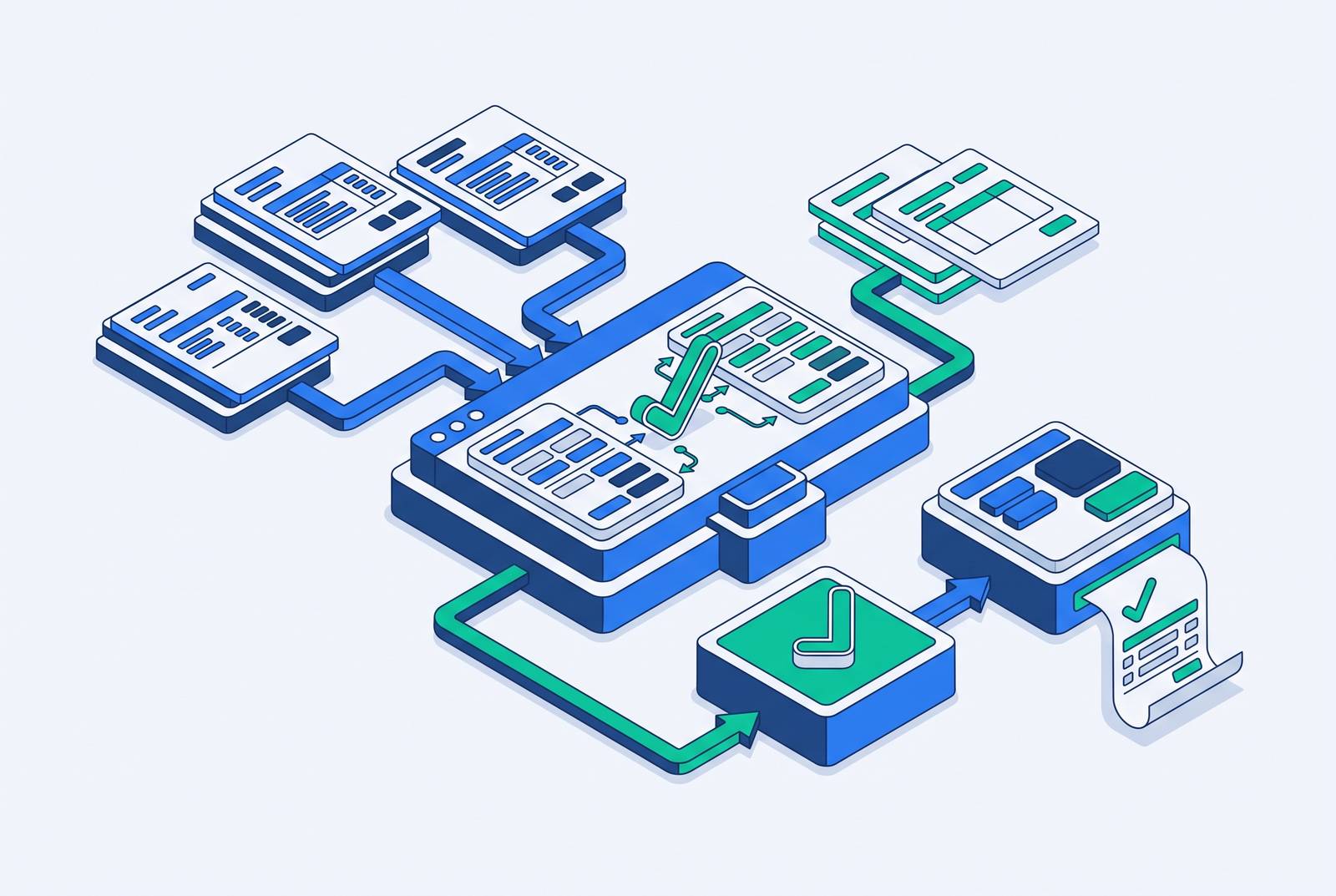
Invoice reconciliation software automates matching vendor invoices against purchase orders, goods receipts, contracts, and payment records before payment gets approved. It is not the same as bank reconciliation or full account reconciliation. Mixing those categories up is the most common buying mistake in the category, and it leads teams to purchase a tool that solves a problem they don't have.
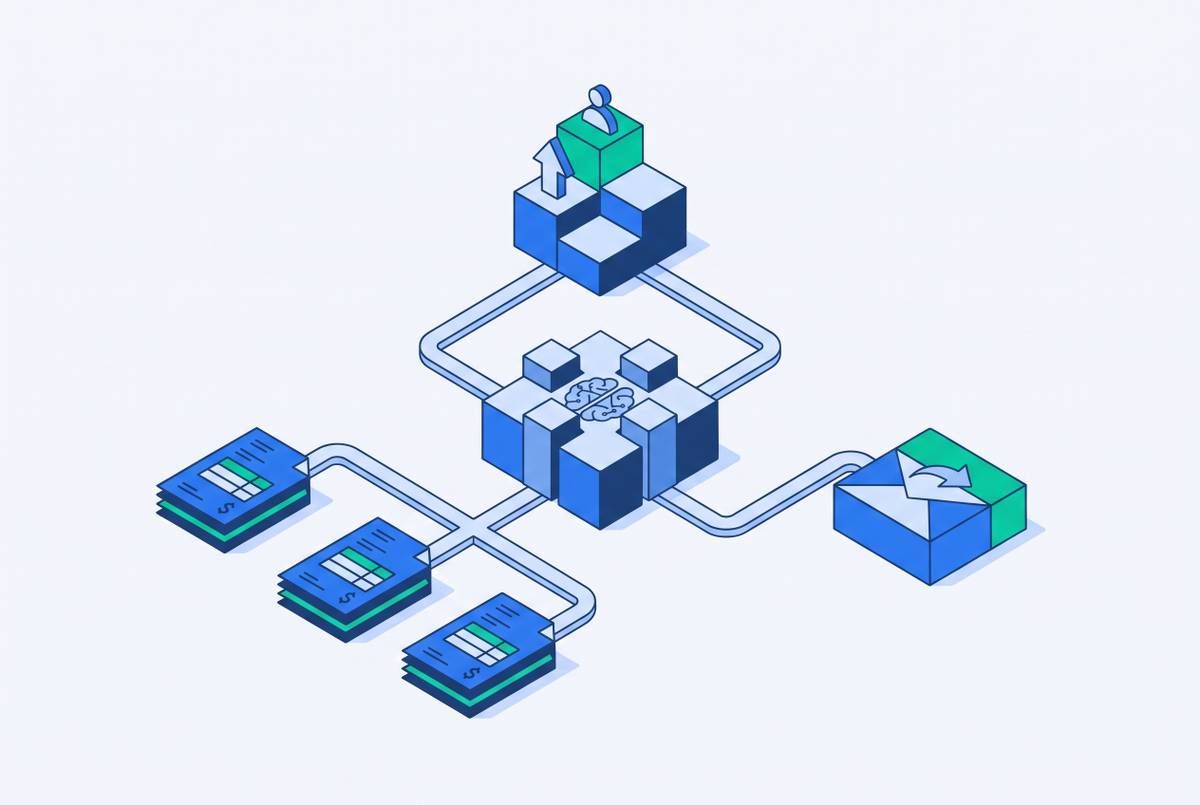
The matching process runs in six stages regardless of which vendor you pick: capture, extract, match, route exceptions, reconcile, and post. Understanding those stages matters because it lets you evaluate where any given tool is strong and where it leaves gaps. A platform that excels at capture and extraction may fall apart at exception routing. One that handles three-way matching beautifully may leave reconciliation and posting to manual workarounds. The six-stage view also explains why "invoice reconciliation software" is not one product category but three.
Standalone reconciliation tools focus only on matching and exception workflow. They integrate with an existing ERP rather than replacing it, which makes them useful for teams that already have a working AP process and need to fix the matching layer specifically. AP automation platforms with reconciliation built in cover the full AP cycle, from capture through payment execution. They're broader, but that breadth carries implementation weight. Accounting software with native reconciliation modules, like QuickBooks Online, Xero, and Zoho Books, works fine for straightforward environments. As volume or complexity grows beyond SMB needs, those native tools run into limits on automation depth and exception handling.
The distinction matters because invoice reconciliation and bank reconciliation serve different buyers and require different integrations. Bank reconciliation matches ledger entries against bank statements. Invoice reconciliation matches invoices against orders and receipts before payment. If you're clear on which category you're buying, the rest of the evaluation gets easier.
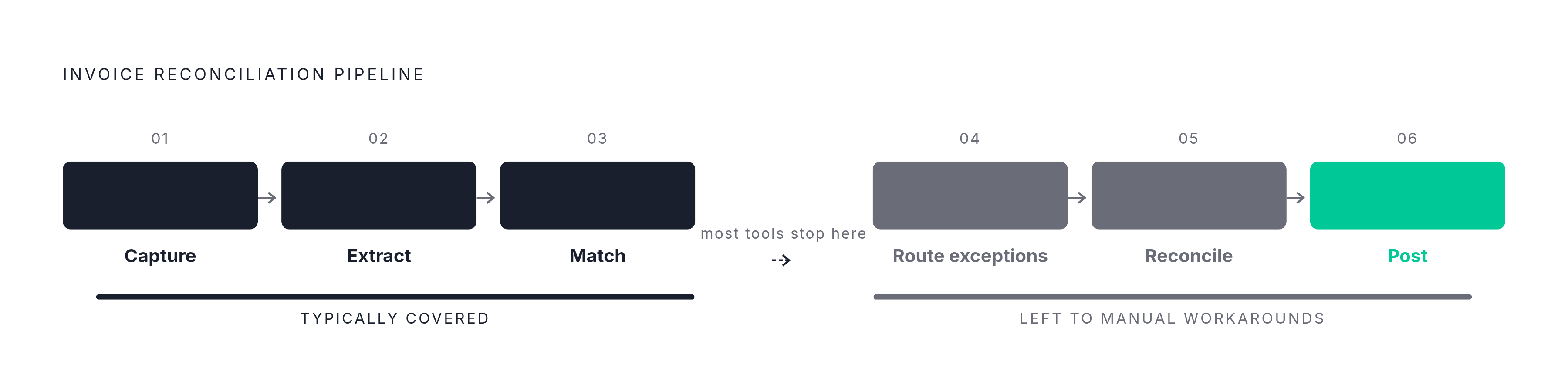
Why manual matching keeps breaking down even in well-resourced AP teams
Manual invoice reconciliation fails at predictable points that no amount of headcount fixes. Adding people to a broken matching process doesn't change those underlying conditions. It just adds more hands to the same bottleneck.
Manual invoice processing persists even in 2026 primarily because of inconsistent invoice formatting, missing POs on certain invoices, and vendor data discrepancies. The strongest objection to automation is fair: it only performs as well as the upstream data it processes. When AP runs on inconsistent vendor data and variable invoice formats, automation carries that inconsistency downstream at higher speed. A tool that matches at ninety percent accuracy on dirty data just produces exceptions ninety percent faster.
That's why standardizing AP best practices before automating them is often a prerequisite. A tool can't fix a vendor who submits invoices in three different formats, or a purchasing team that skips PO creation on rush orders. Those problems live in process discipline, not software.
There's a second structural blocker most teams hit: ERP integration. A reconciliation tool needs clean, timely data from that ERP to match anything, and pulling that data out of a legacy system often requires more effort than the matching itself. Software shortens the matching step, but it doesn't erase the upstream conditions that create the mess.
The five criteria that separate tools that work from tools that look good in a demo
Five criteria determine whether an invoice reconciliation tool closes the gap between invoices sent and cash received, or just digitizes the manual process without cutting exceptions or close cycle drag. These are the questions to ask before any vendor shows you a product. The first is three-way matching depth and configurability. Can the system match and approve a partial invoice while holding the remainder? A system that flags exceptions without routing them to a specific owner and deadline creates a different kind of backlog.
AI improves fuzzy matching, duplicate detection, and exception prioritization. Exception handling quality matters more than raw automation speed for high-volume teams. Tools that route exceptions but don't drive resolution leave finance teams chasing answers across portals and inboxes. Invoice Butler, which navigates supplier systems on a team's behalf and escalates through email, phone, and SMS, closes that loop instead of just flagging it.
The second criterion is ERP and accounting system integration depth. Some tools connect only at the trial balance level, which gives you a summary view but no way to drill into discrepancies without switching to spreadsheets. Audit trail completeness and ERP write-back capability are non-negotiable. Ask two questions in every demo: does the integration require ongoing IT maintenance, and does it support pre-built connectors for your specific ERP, or custom API work?
Third is exception handling structure and resolution workflow. Tools that handle only the matching and routing steps leave resolution to manual follow-up. Invoice Butler's combination of AI-driven follow-up across email, phone, and SMS with human collections expertise fills that gap downstream of reconciliation.
Fourth is invoice ingestion across multiple channels. Strong tools accept invoices through email, supplier portals, EDI, scanned paper, cloud storage, and direct ERP integration without manual intervention. Ingestion quality determines downstream accuracy. If you have paper-heavy AP or high PDF volume, extraction quality is the primary criterion to evaluate before matching logic even matters. OCR and machine learning at the extraction stage determine whether the matching step starts with clean or dirty data, so evaluate extraction accuracy separately from matching accuracy.
Fifth is scalability and implementation realism. The best tool comes down to fit more than features. You're weighing automation depth, integration compatibility, scalability as volumes grow, and a pricing structure that does not balloon with hidden fees.
How the leading platforms perform against those criteria, by company size and use case
The market has stratified clearly by company size and use case, and selecting from within the right tier matters more than comparing features across tiers. An enterprise platform purchased by a growth-stage business is overkill, and a mid-market tool dropped into a multi-entity legacy ERP environment will collapse under the integration load. For enterprise buyers with multi-entity structures, legacy ERPs, and high transaction volumes, BlackLine is the dominant platform for financial close and GL-level reconciliation. Its Verity AI layer, built on the Studio360 platform, covers account reconciliations and transaction matching. Trintech builds purpose-built products for both enterprise and mid-market, with Cadency for large organizations and Adra for the middle. Its match rate performance correlates strongly with reference field consistency in the underlying payment data. Teams with inconsistent vendor reference fields will see materially lower auto-match rates.
Tipalti leads for global, multi-entity AP with payment execution across more than 200 countries in 120+ local currencies. Documented implementation risk deserves attention here. Coupa fits large enterprises with formal procurement workflows, offering tolerance-based two-way and three-way matching tied to a full procure-to-pay suite. SolveXia serves finance teams running multi-type reconciliation, including invoice, bank, intercompany, and balance sheet, in a no-code environment. It's particularly useful for teams currently running processes in Excel who want a controlled, auditable environment without a full ERP implementation.
Mid-market buyers, growth-stage companies on NetSuite or Sage Intacct with AP-focused needs, have a different set. Stampli is the leading mid-market tool for AI-led invoice coding and approval, with its Billy the Bot AI handling a high share of finance work across a large field set and a G2 rating of 4.6 out of 5. Teams choose it where the primary friction is close coordination and visibility rather than high exception volume.
MineralTree is the best fit for high-volume AP inside Sage Intacct, addressing duplicate payments and missed exceptions from manual review at scale. Yooz targets paper-heavy AP teams with AI capture, addressing manual data entry and OCR errors before matching begins. SAP Concur Invoice makes the most sense for existing SAP Concur customers needing native AP inside the Concur expense and travel ecosystem. Its strongest value sits with existing Concur customers, though it's available to new buyers integrating with non-Concur ERPs.
Where the matching layer ends and the collections gap begins
Invoice reconciliation software closes the payables matching gap, but it does not resolve the receivables collection gap. Invoices that are correctly matched and approved on the AP side can still sit unpaid on the AR side because of operational blockers that no reconciliation tool addresses. The matching layer ends where the approval happens. Everything after that is a different problem.
The blockers that delay payment after a matched invoice is approved are not matching problems. They are communication gaps, missing documents, supplier portal friction, and escalation failures. Portal fatigue and lack of interoperability between payment and remittance systems mean that even approved invoices can stall in supplier portals like Coupa or Ariba before cash moves. Missing documents, like W-9s, certificates of insurance, and vendor onboarding forms, are a common reason approved invoices do not convert to cash without human follow-up. The portal says something else entirely, and no software is talking to the portal.
Finance teams that automate reconciliation but leave the follow-up layer manual continue to burn hours chasing payments. The reconciliation tool accelerates the matching process, but it does not replace the persistent, human-like follow-up that gets invoices through buyer systems and into payment queues. You can cut matching time from days to minutes and still wait sixty days for the cash, because the bottleneck moved downstream. This is the gap Invoice Butler is built to close. It acts as an always-on AR team that follows up, replies to customers, navigates portals, resolves document blockers, and escalates when needed. That's the operational layer that sits downstream of reconciliation and upstream of cash receipt.
The right evaluation question for finance leaders is not only "which tool matches our invoices fastest" but "which combination of tools closes the full loop from invoice sent to cash received." Reconciliation software and AR follow-up capability are complementary, not substitutes. A follow-up system without clean matching spends its time chasing invoices that should never have been approved. You need both, and you should evaluate them as a pair.
How to structure an evaluation process that avoids the most expensive mistakes
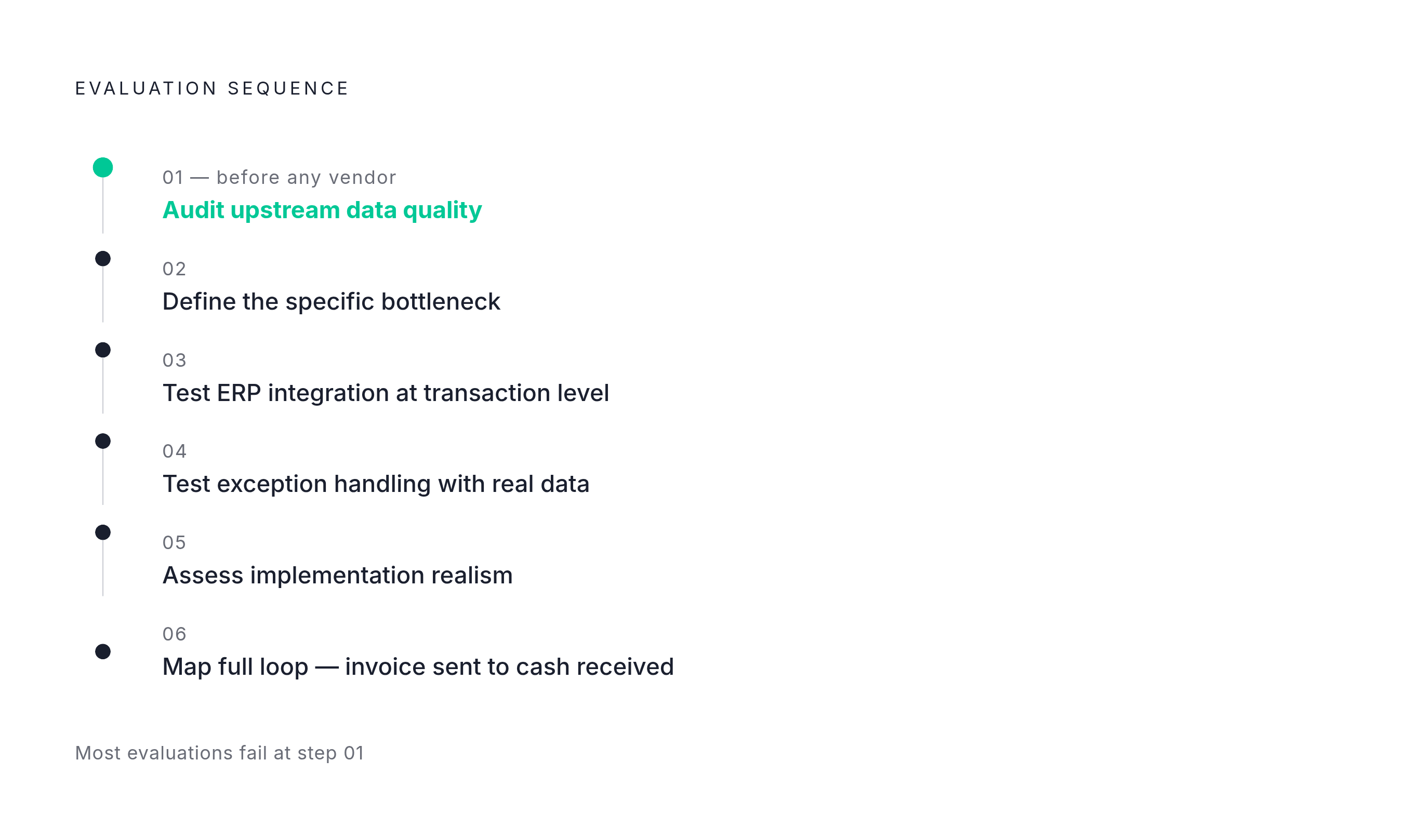
Most invoice reconciliation software evaluations fail because they start with vendor demos instead of internal data audits. A demo shows you what the tool can do with clean data. Your process runs on dirty data, and that gap is where the project dies.
Step one is auditing upstream data quality before evaluating any tool. Map where invoice format inconsistency, missing PO references, and vendor data gaps actually occur in your current process. Fix what you can before you shop, or at minimum know where the problems live.
Step two is defining the specific bottleneck: matching, exception routing, ERP write-back, or AR follow-up. A team whose primary friction is close coordination needs a different tool than one whose primary friction is high exception volume or paper-heavy capture. Enterprises with multiple entities and legacy ERP need different capabilities than a growth-stage business on a cloud accounting platform. Know which problem you're solving before you look at features.
Step three is evaluating ERP integration at the transaction level, not the trial balance level. Require vendors to demonstrate the integration against your actual ERP in a sandbox, not a generic connector list. Ask specifically about field-name mapping, date convention handling, and how the tool writes exceptions and approvals back to the GL. The answers tell you more than any feature matrix.
Step four is testing exception handling with real exception data, not clean sample invoices. Bring a batch of actual exception invoices, including duplicates, partial deliveries, pricing mismatches, and missing POs, into any demo or pilot. Watch what happens. You want to see resolution, not just detection.
Step five is assessing implementation realism, not just feature coverage. Documented cases of implementation overruns, like integrations estimated at weeks taking months, are a signal to probe the implementation plan and reference customers with a similar ERP setup before signing. Ask for references from customers with your specific ERP, invoice volume, and entity count, not the vendor's headline logo customers. The logo customers don't have your integration problems.
Step six is mapping the full loop from invoice sent to cash received, not just the matching layer. Identify where the handoff from reconciliation to AR follow-up currently breaks down in your process. Look for portal navigation issues, document gaps, and escalation failures. The tool that fits your actual bottleneck is the one worth buying, not the one with the longest feature list.